Latest Products


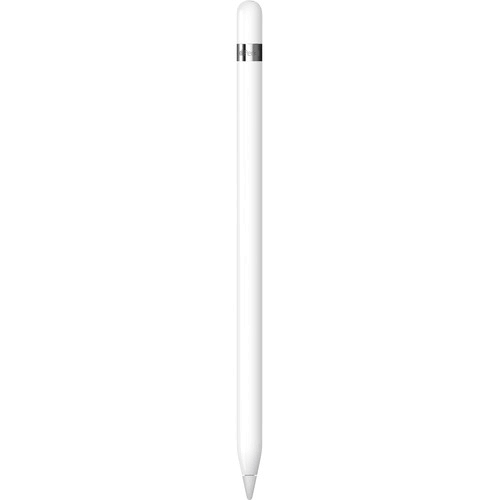


- Brand: Apple
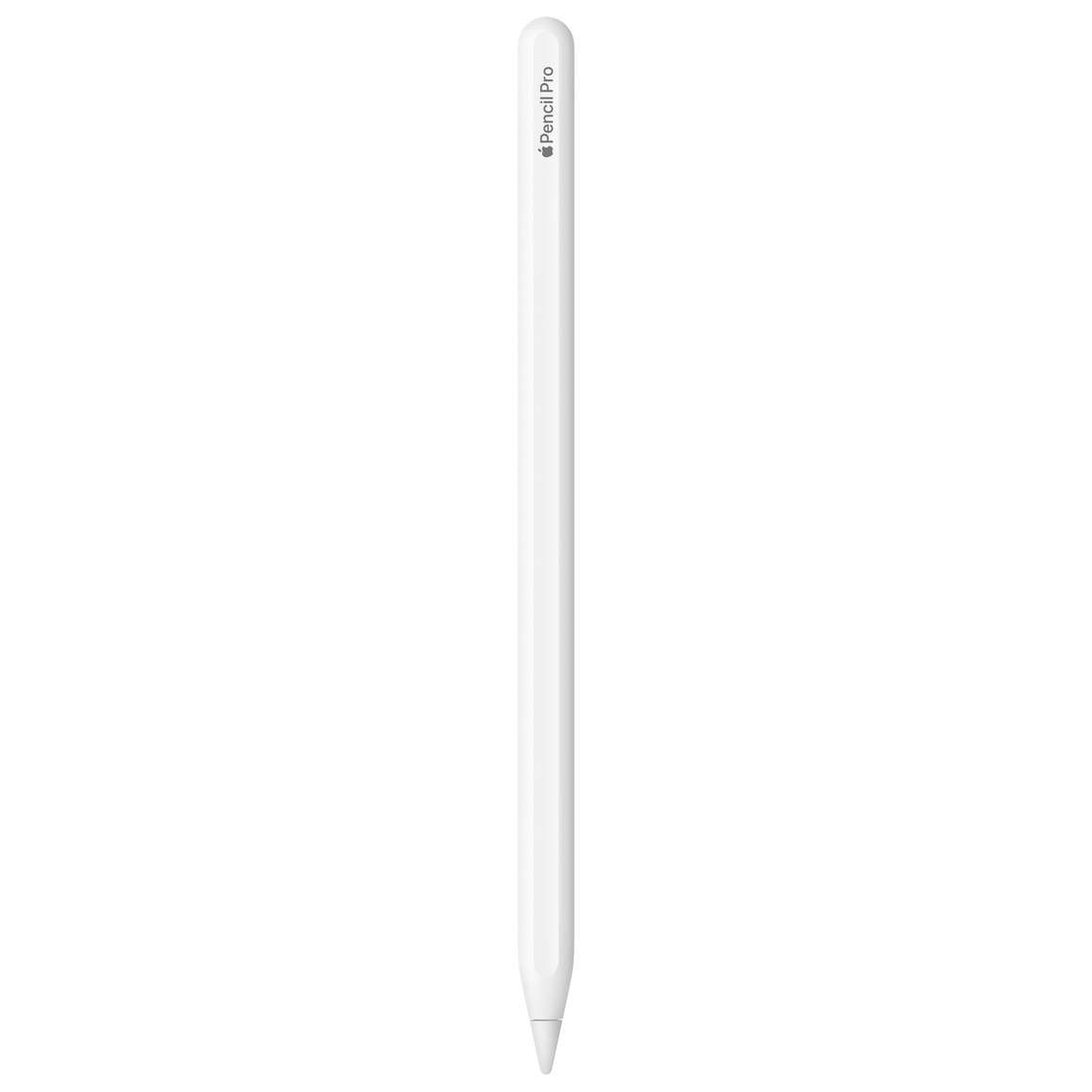
- Product Name: Apple Pencil 1st Generation
- Product Type: Digital Stylus Pen for iPad
- Model: Apple Pencil (1st Generation)
- Connectivity: Bluetooth
- Charging Connector: Lightning
- Charging: Rechargeable Battery with Lightning Charging
- Pressure Sensitivity: Supported for Natural Drawing and Writing
- Tilt Sensitivity: Supported for Shading and Artistic Effects
- Precision: Pixel-Perfect Precision
- Latency: Low-Latency Digital Inking
- Palm Rejection: Supported on Compatible iPads
- Controls: Touchscreen Writing, Drawing and Annotation
- Compatibility: Selected iPad, iPad mini, iPad Air and iPad Pro Models
- iPad 10th Gen and iPad A16: Requires USB-C to Apple Pencil Adapter for Pairing and Charging
- Dimensions: 175.7mm Length and 8.9mm Diameter
- Weight: 20.7g
- Colour: White
- Accessories: Lightning Adapter and Replacement Tip
- Best For: Digital Drawing, Handwritten Notes, Sketching, Document Annotation, Graphic Design and Education
- Features: Pressure Sensitivity, Tilt Sensitivity, Pixel-Perfect Precision, Low Latency, Palm Rejection, Bluetooth Connectivity and Lightning Charging
Save KSh. 2,001
NB: Dear Valued Customer, due to the KRA introducing additional custom measures affecting clearance of mobile phones and other
electronic devices arriving in Kenya, we regret to inform you that we will be increasing prices.
Please kindly note that prices are subject to change without prior notice. Thank you.
For our corporate customers you can place your order seamlessly at corporates@linkphonescenter.com
The Apple Pencil 1st Generation is a precision digital stylus designed to transform compatible Apple iPads into powerful tools for handwriting, drawing, sketching, document annotation and creative work. Featuring pressure sensitivity, tilt sensitivity, pixel-perfect precision and low-latency performance, the Apple Pencil delivers a responsive writing and drawing experience for students, professionals, artists and everyday iPad users.
With its elegant white design, Bluetooth connectivity, rechargeable battery and Lightning charging system, the Apple Pencil 1st Gen combines convenient operation with advanced digital inking capabilities. Whether you are taking handwritten lecture notes, creating digital illustrations, marking up PDFs or sketching creative ideas, the Apple Pencil provides accurate control and natural interaction with compatible iPad applications.
Apple Pencil 1st Gen Price in Kenya, Specifications & Features
The Apple Pencil 1st Generation is designed for users who want greater precision and creative flexibility from their compatible iPad. Its pressure-sensitive tip allows you to create different line weights, while tilt detection supports shading and artistic effects in compatible drawing applications.
Featuring palm rejection, responsive digital inking, Bluetooth pairing and a lightweight 20.7g design, the Apple Pencil is suitable for extended writing, drawing and note-taking sessions. It works with selected iPad models, including supported standard iPads, iPad mini, iPad Air and earlier iPad Pro generations.
Precision Digital Stylus with Pressure Sensitivity, Tilt Control and Natural Handwriting
The Apple Pencil 1st Gen combines advanced stylus technology with a familiar pencil-like design, allowing users to write and draw directly on compatible iPad displays.
Its pressure-sensitive tip responds to changes in writing or drawing pressure, allowing supported applications to produce thin, thick, light or bold strokes.
The integrated tilt sensitivity provides additional control for shading and creative effects, making the Apple Pencil useful for digital illustration and artistic projects.
With pixel-perfect precision and low-latency input, the stylus supports accurate handwriting, detailed sketches and responsive document annotation.
Apple Pencil 1st Gen Price in Kenya
The Apple Pencil 1st Generation price in Kenya is KES 12,999 at Linkphones Center.
This digital stylus features pressure sensitivity, tilt sensitivity, pixel-perfect precision, low-latency digital inking, palm rejection, Bluetooth connectivity and Lightning charging for compatible Apple iPads.
Where to Buy Apple Pencil 1st Generation in Kenya
Buy the Apple Pencil 1st Gen from Linkphones Center, your trusted electronics and accessories retailer in Nairobi, Kenya.
Whether you need a digital pen for handwritten notes, university assignments, professional illustration, graphic design or document annotation, the Apple Pencil 1st Generation provides accurate and responsive stylus functionality for supported iPad models.
Visit Linkphones Center in Nairobi CBD or order remotely for delivery across Kenya.
Visit Our Store
- Shop Name: Linkphones Center
- Location: HH Towers, Moi Avenue, 5th Floor, Shop 504, Nairobi CBD
- Call / WhatsApp: 0729 222 000
- Delivery: Nationwide delivery across Kenya, including Nairobi, Mombasa, Kisumu, Nakuru, Eldoret, Thika, Nyeri, Machakos, Meru and other towns.
Whether you're shopping at our Nairobi CBD store or ordering remotely, Linkphones Center offers nationwide delivery across Kenya.
Specifications & Features
Designed for Compatible Apple iPads
The Apple Pencil 1st Generation is designed to work with selected Apple iPad models that support first-generation Apple Pencil technology.
Its integration with compatible iPad displays allows users to write, draw, sketch and annotate content directly on the touchscreen.
Because different iPad generations support different Apple Pencil models, users should confirm their exact iPad model before purchasing.
Pixel-Perfect Precision
The Apple Pencil 1st Gen delivers pixel-perfect precision, allowing users to position strokes accurately on the iPad display.
This is particularly useful for detailed drawings, technical diagrams, handwriting and precise document annotations.
Its accurate tip response provides greater control than ordinary finger-based touchscreen interaction.
Pressure Sensitivity for Natural Drawing
The Apple Pencil features pressure-sensitive input, allowing compatible applications to respond to the amount of force applied while drawing or writing.
Applying light pressure can produce thinner strokes, while increased pressure can create thicker or more pronounced lines.
This functionality makes the stylus particularly useful for artists, illustrators and users who want natural-looking digital handwriting.
Tilt Sensitivity for Shading
The Apple Pencil supports tilt sensitivity, allowing compatible applications to detect the angle at which the stylus is held.
Users can tilt the Pencil to create shading effects, similar to using the side of a traditional graphite pencil.
This adds creative flexibility when sketching, illustrating and working with digital art applications.
Low-Latency Digital Inking
The Apple Pencil 1st Generation is designed to provide a low-latency writing and drawing experience.
This helps digital strokes appear responsively as users move the Pencil across a compatible iPad display.
Actual responsiveness depends on the iPad model, operating system and application being used.
Palm Rejection Technology
Compatible iPads support palm rejection when using the Apple Pencil, allowing users to rest their hand naturally on the screen while writing or drawing.
This helps reduce unwanted touchscreen input during supported Pencil activities.
The feature is useful for handwritten notes, detailed sketches and extended drawing sessions.
Bluetooth Wireless Connectivity
The Apple Pencil 1st Gen uses Bluetooth connectivity to communicate with a compatible iPad.
Bluetooth enables the iPad to recognise the Pencil and process supported stylus interactions.
Initial pairing requires the appropriate Lightning connection or adapter arrangement for the specific iPad model.
Lightning Charging System
The Apple Pencil 1st Generation includes a Lightning connector beneath its removable cap.
On compatible Lightning-equipped iPads, the Pencil can be paired and charged through the iPad's Lightning port.
It can also be charged using an appropriate compatible charging adapter and cable.
Unlike newer Apple Pencil models, the first-generation Pencil does not support magnetic wireless charging on the side of an iPad.
USB-C to Apple Pencil Adapter Support
When using the Apple Pencil 1st Generation with the iPad 10th Generation or iPad (A16), a USB-C to Apple Pencil Adapter is required for pairing and charging.
The adapter connects the Pencil's Lightning connector to an appropriate USB-C charging arrangement.
Customers should confirm whether this adapter is included with the specific retail package or must be purchased separately.
Rechargeable Battery
The Apple Pencil 1st Gen features a built-in rechargeable battery.
Apple specifies up to approximately 12 hours of use from a full charge under its stated testing conditions.
Actual battery life varies depending on usage patterns, battery condition and operating conditions.
Quick Charging Capability
The Apple Pencil supports convenient quick charging through its Lightning connector.
Apple has advertised approximately 30 minutes of use from a 15-second charge under its testing conditions.
This is useful when the Pencil requires additional power during a writing or drawing session.
Natural Handwriting Experience
The Apple Pencil is designed to make handwriting on a compatible iPad feel responsive and controlled.
Users can write lecture notes, meeting summaries, reminders and other handwritten content in supported applications.
Its precise tip and palm rejection support comfortable writing directly on the touchscreen.
Digital Note-Taking with Apple Notes
The Apple Pencil 1st Generation can be used with the Apple Notes application on compatible iPads.
Users can write handwritten notes, create sketches, mark up information and organise ideas digitally.
Supported handwriting recognition and other advanced features depend on the iPad model and iPadOS version.
PDF Annotation and Document Markup
The Apple Pencil supports document annotation through compatible iPad applications.
Users can highlight information, add handwritten comments, sign documents and mark up supported PDF files.
This makes it useful for students reviewing learning materials and professionals working with digital documents.
Digital Drawing and Illustration
The Apple Pencil is suitable for drawing, sketching and digital illustration in supported applications.
Its pressure and tilt sensitivity provide greater control over brush strokes, shading and artistic effects.
Users can create illustrations, diagrams, concept sketches and other creative projects directly on their iPad.
Useful for Graphic Design
Graphic designers can use the Apple Pencil for supported illustration, image editing and design tasks.
The precise tip makes it convenient to select details, draw shapes and work with creative tools.
Application-specific features vary depending on the software and compatible iPad hardware.
Ideal for Students and Education
The Apple Pencil provides a practical way for students to take handwritten notes and work with digital learning materials.
It can be used for mathematical calculations, diagrams, lecture notes, research annotations and study planning.
The stylus is especially useful for learners who prefer handwriting while benefiting from digital storage and organisation.
Professional Productivity and Business Use
Business professionals can use the Apple Pencil for document reviews, meeting notes, diagrams and supported digital signatures.
Its precise input makes it convenient to annotate presentations, sketch ideas and highlight important information.
This helps expand the functionality of compatible iPads for everyday office work.
Lightweight and Comfortable Design
The Apple Pencil 1st Generation measures approximately 175.7mm in length and 8.9mm in diameter.
It weighs approximately 20.7g, making it lightweight and convenient to hold during writing and drawing.
Its slim cylindrical design provides a familiar pencil-like feel.
Replaceable Pencil Tip
The Apple Pencil features a replaceable tip, allowing users to replace the writing tip when necessary.
Replacement Apple Pencil tips are available separately.
Users should replace worn or damaged tips to maintain appropriate writing performance and avoid unnecessary contact damage to the iPad display.
Supported iPad Models
The Apple Pencil 1st Generation supports the following iPad models:
- iPad (6th Generation)
- iPad (7th Generation)
- iPad (8th Generation)
- iPad (9th Generation)
- iPad (10th Generation) - USB-C to Apple Pencil Adapter Required
- iPad (A16) - USB-C to Apple Pencil Adapter Required
- iPad mini (5th Generation)
- iPad Air (3rd Generation)
- iPad Pro 9.7-inch
- iPad Pro 10.5-inch
- iPad Pro 12.9-inch (1st Generation)
- iPad Pro 12.9-inch (2nd Generation)
Important: The Apple Pencil 1st Generation is not universally compatible with all iPads. It does not work with iPad models designed exclusively for Apple Pencil 2nd Generation, Apple Pencil USB-C or Apple Pencil Pro.
Suitable for Creative and Everyday Activities
The Apple Pencil 1st Generation supports a wide range of activities, including:
- Handwritten lecture notes
- Digital drawing and illustration
- Graphic design and sketching
- PDF annotation and document review
- Mathematical calculations and diagrams
- Digital signatures in supported applications
- Meeting notes and business planning
- Photo editing and creative projects
- Educational exercises and assignments
- Everyday iPad navigation and productivity
Why Choose Apple Pencil 1st Generation
- Original Apple Stylus Design: Engineered for supported Apple iPad models.
- Pixel-Perfect Precision: Provides accurate digital writing and drawing.
- Pressure Sensitivity: Supports variable line thickness and natural brush strokes.
- Tilt Sensitivity: Enables shading and creative drawing effects.
- Low-Latency Performance: Supports responsive digital inking.
- Palm Rejection: Allows natural hand positioning while writing on compatible iPads.
- Bluetooth Connectivity: Enables wireless communication with supported iPads.
- Lightning Charging: Provides a convenient rechargeable power system.
- Quick Charging: Allows short charging sessions when additional power is needed.
- Up to 12 Hours of Use: Provides extended use under Apple's stated testing conditions.
- Replaceable Tip: Allows the writing tip to be replaced when worn.
- Lightweight 20.7g Design: Comfortable for everyday writing and drawing.
- Digital Note-Taking: Suitable for handwritten notes and study materials.
- Document Annotation: Supports PDF markup and handwritten comments.
- Creative Drawing: Useful for sketching, illustration and design.
- Educational Applications: Ideal for students, teachers and academic work.
- Professional Productivity: Useful for meeting notes, diagrams and document review.
- Broad Legacy iPad Support: Compatible with several supported iPad generations.
Technical Specifications
- Brand: Apple
- Product Name: Apple Pencil 1st Generation
- Product Type: Digital Stylus Pen
- Generation: 1st Generation
- Connectivity: Bluetooth
- Charging Connector: Lightning
- Battery: Built-in Rechargeable Battery
- Battery Life: Up to Approximately 12 Hours Under Apple's Testing Conditions
- Quick Charging: Approximately 30 Minutes of Use from a 15-Second Charge Under Apple's Testing Conditions
- Pressure Sensitivity: Yes
- Tilt Sensitivity: Yes
- Precision: Pixel-Perfect Precision
- Latency: Low-Latency Digital Inking
- Palm Rejection: Supported on Compatible iPads
- Wireless Magnetic Charging: Not Supported
- Replaceable Tip: Yes
- Length: 175.7mm
- Diameter: 8.9mm
- Weight: 20.7g
- Colour: White
- iPad Compatibility: iPad 6th, 7th, 8th, 9th and 10th Generation; iPad (A16)
- iPad mini Compatibility: iPad mini 5th Generation
- iPad Air Compatibility: iPad Air 3rd Generation
- iPad Pro Compatibility: iPad Pro 9.7-inch, iPad Pro 10.5-inch and iPad Pro 12.9-inch 1st and 2nd Generation
- USB-C iPad Charging: USB-C to Apple Pencil Adapter Required for Supported Models
- Primary Functions: Handwriting, Drawing, Sketching, Shading and Document Annotation
- Application: Education, Digital Art, Graphic Design, Note-Taking and Productivity
What's in the Box
- Apple Pencil 1st Generation ×1
- Apple Pencil Tip Installed ×1
- Lightning Connector Cap ×1
- Product Documentation
Note: Depending on the retail packaging revision, additional accessories such as a spare tip, Lightning adapter or USB-C to Apple Pencil Adapter may be included. Confirm the exact package contents before purchase. The iPad is sold separately.
FAQ
1. What is the Apple Pencil 1st Gen price in Kenya?
The Apple Pencil 1st Generation price in Kenya is KES 12,999 at Linkphones Center.
2. Where can I buy Apple Pencil 1st Generation in Kenya?
You can buy Apple Pencil 1st Gen from Linkphones Center at HH Towers, Moi Avenue, 5th Floor, Shop 504, Nairobi CBD. Call or WhatsApp 0729 222 000. Nationwide delivery is available across Kenya.
3. What is the Apple Pencil 1st Generation?
The Apple Pencil 1st Generation is a rechargeable digital stylus designed for writing, drawing, sketching and annotating content on compatible Apple iPads.
4. Does Apple Pencil 1st Gen support pressure sensitivity?
Yes. It supports pressure-sensitive input, allowing compatible applications to respond to different levels of writing or drawing pressure.
5. Does Apple Pencil 1st Gen support tilt sensitivity?
Yes. It supports tilt detection for shading and artistic effects in compatible applications.
6. Can I use Apple Pencil 1st Gen for drawing?
Yes. Its precise tip, pressure sensitivity and tilt detection make it suitable for drawing, sketching and digital illustration on compatible iPads.
7. Can I use Apple Pencil 1st Gen for handwritten notes?
Yes. It supports handwritten notes in compatible applications, including Apple Notes.
8. Does Apple Pencil 1st Gen work with iPad 9th Generation?
Yes. The Apple Pencil 1st Generation is compatible with the iPad 9th Generation.
9. Does Apple Pencil 1st Gen work with iPad 10th Generation?
Yes. It supports the iPad 10th Generation, but requires a USB-C to Apple Pencil Adapter for pairing and charging.
10. Does Apple Pencil 1st Gen work with iPad A16?
Yes. The iPad (A16) supports Apple Pencil 1st Generation using the required USB-C to Apple Pencil Adapter.
11. Is Apple Pencil 1st Gen compatible with iPad mini 5?
Yes. The Apple Pencil 1st Generation is compatible with the iPad mini 5th Generation.
12. Does Apple Pencil 1st Gen work with iPad Air 3?
Yes. It supports the iPad Air 3rd Generation.
13. Does Apple Pencil 1st Gen work with iPad Pro?
Yes, but only selected older models, including iPad Pro 9.7-inch, 10.5-inch and 12.9-inch 1st and 2nd Generation.
14. Does Apple Pencil 1st Gen work with every iPad?
No. Compatibility depends on the exact iPad model. Newer iPads may require Apple Pencil USB-C, Apple Pencil 2nd Generation or Apple Pencil Pro instead.
15. How does Apple Pencil 1st Gen connect to an iPad?
The Apple Pencil uses Bluetooth for communication. Initial pairing is performed through its Lightning connector or an appropriate adapter arrangement, depending on the iPad model.
16. How do I charge Apple Pencil 1st Generation?
The Pencil charges through its Lightning connector using a compatible Lightning-equipped iPad or appropriate charging adapter.
17. Does Apple Pencil 1st Gen support wireless charging?
No. The first-generation Apple Pencil does not support magnetic wireless charging.
18. How long does Apple Pencil 1st Gen battery last?
Apple specifies up to approximately 12 hours of use under its stated testing conditions. Actual battery life varies.
19. Does Apple Pencil 1st Gen support fast charging?
Yes. Apple has advertised approximately 30 minutes of use from a 15-second charge under its testing conditions.
20. Does Apple Pencil 1st Gen support palm rejection?
Yes. Compatible iPads support palm rejection during Apple Pencil use, allowing users to rest their hand naturally on the display while writing or drawing.
21. Can I replace the Apple Pencil 1st Gen tip?
Yes. The Apple Pencil has a replaceable tip, and compatible replacement tips are available separately.
22. How much does Apple Pencil 1st Gen weigh?
The Apple Pencil 1st Generation weighs approximately 20.7g.
23. What is the difference between Apple Pencil 1st Gen and 2nd Gen?
Apple Pencil 1st Gen uses Lightning charging, while Apple Pencil 2nd Gen supports magnetic pairing and wireless charging on compatible iPads. The two models have different compatibility requirements.
24. What comes in the Apple Pencil 1st Generation box?
The package contains the Apple Pencil 1st Generation with its installed tip and connector cap, plus product documentation. Additional adapters or a spare tip depend on the retail packaging revision.
25. Does Linkphones Center deliver Apple Pencil 1st Gen outside Nairobi?
Yes. Linkphones Center offers nationwide delivery across Kenya, including Mombasa, Kisumu, Nakuru, Eldoret, Thika, Nyeri, Machakos, Meru and other towns. Call or WhatsApp 0729 222 000 to place your order.

-1724332912-0.jpeg)